
🏪Configure Liteforms for Kiosk Setup
The Liteforms app can now be configured to work well for a kiosk deployment - that is, a deployment where it's intended to be run on start and no other software is intended to run. This can be useful for an actualy kiosk deployment or for a setup like a trade show.
To configure your Liteforms app to operate ideally in this way, open the Settings page. Here, you will see several options, some of which are particularly useful for a kiosk setup.
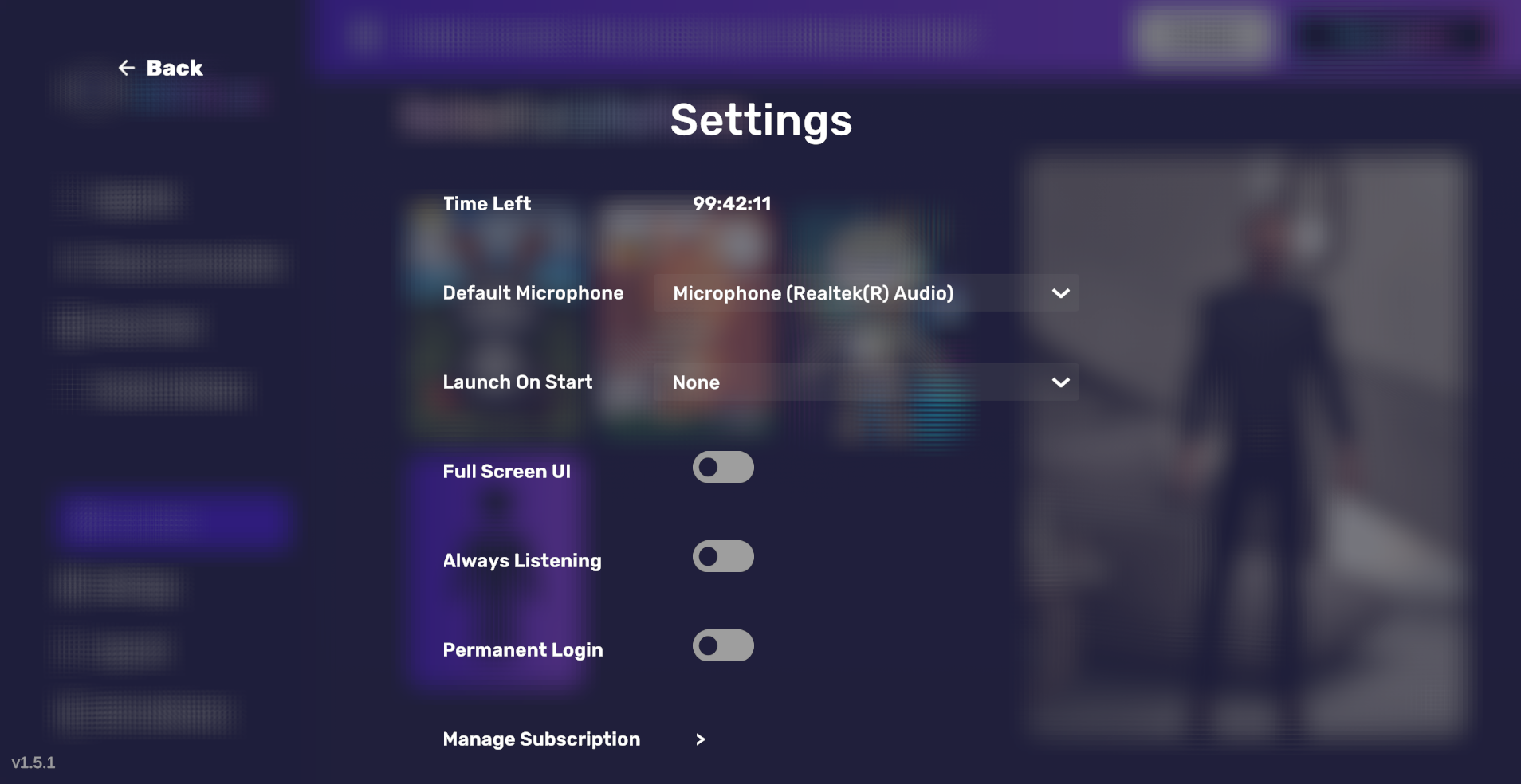
"Launch On Start" dropdown lets you select a Liteform to automatically begin a conversation when the app launches.
"Full Screen UI" toggle makes the UI take up the entirety of your screen.
"Always Listening" toggle will ensure the Liteform will never go into sleep mode - note, however, that this means your app will use the allotted time faster!
"Permanent Login" toggle (for Pro tier subscribers only) allows you to log in once without needing to do so again down the road.