> For the complete documentation index, see [llms.txt](https://lfdocs.lookingglassfactory.com/llms.txt). Markdown versions of documentation pages are available by appending `.md` to page URLs; this page is available as [Markdown](https://lfdocs.lookingglassfactory.com/software/looking-glass-blocks/uploading-editing-and-sharing-quilts.md).
# Uploading, editing and sharing Quilts
Put your holograms on the internet. Share them with friends. The world needs more holographic cats 😺
## Getting started with uploading holograms
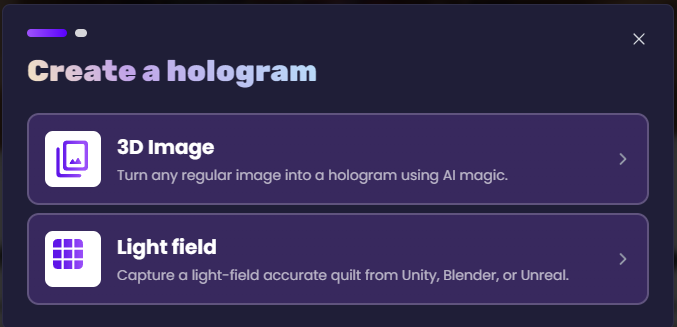
Once you have access to Blocks, click the blue ➕ icon on the top right. You'll see a new modal window like this, click on the `Light field` option.
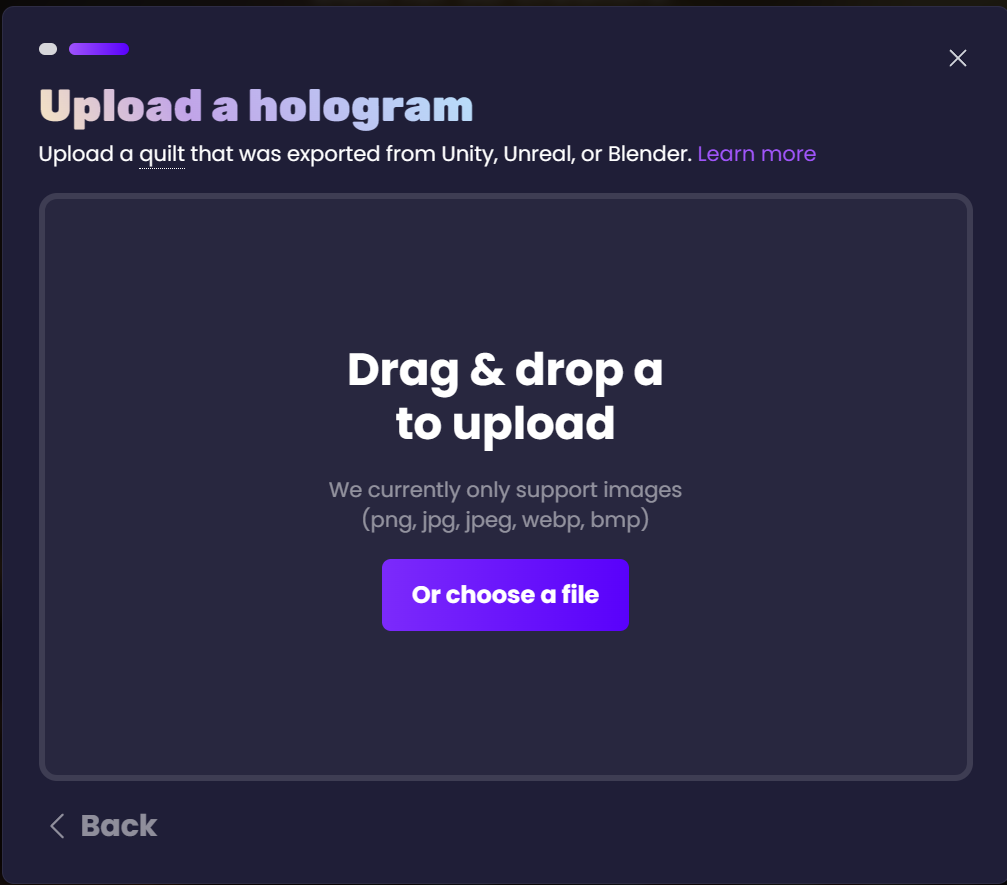
Drag and drop your quilt onto the page or click the "choose a file" option to manually navigate to your quilt image.
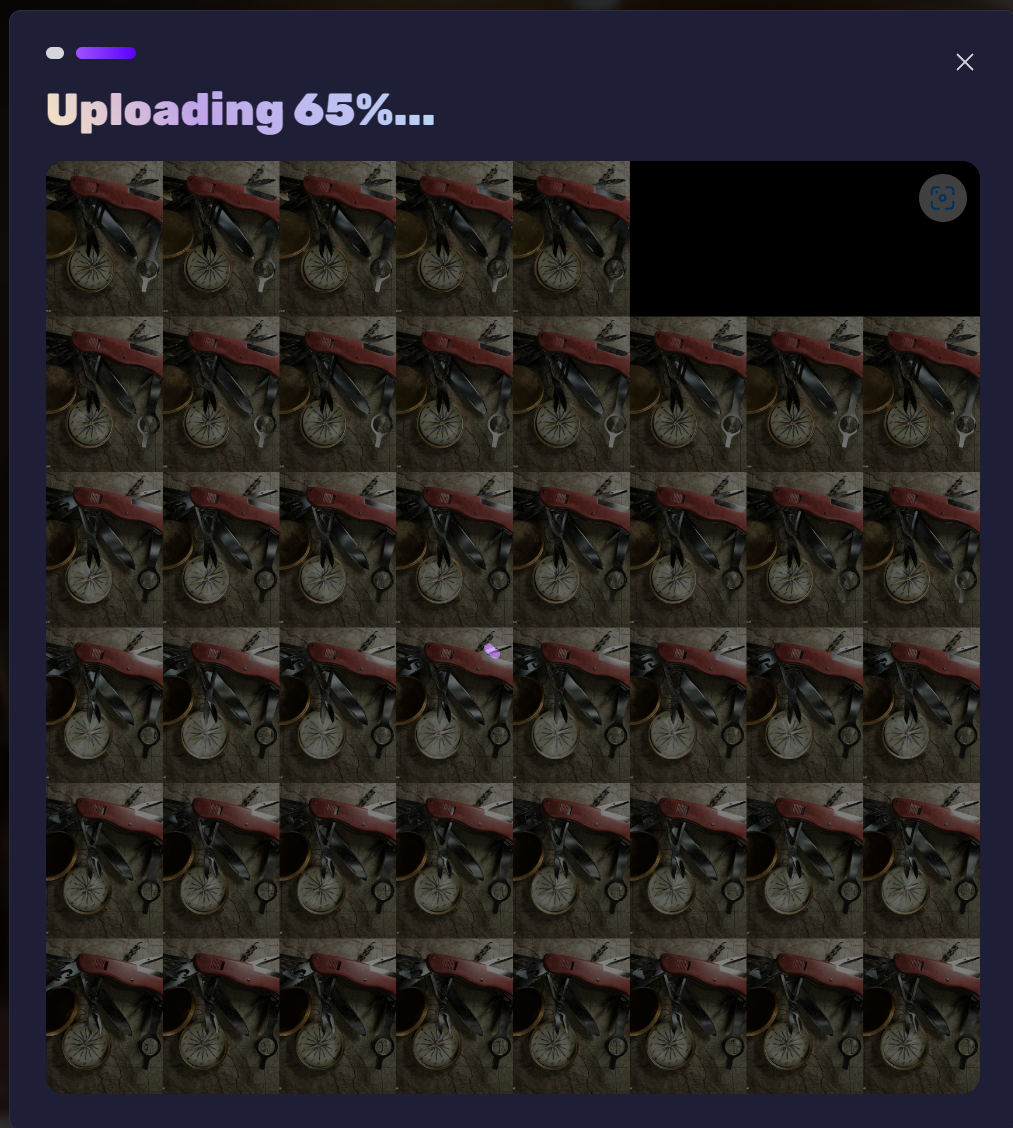
Your hologram is now uploading...
## Editing your hologram settings
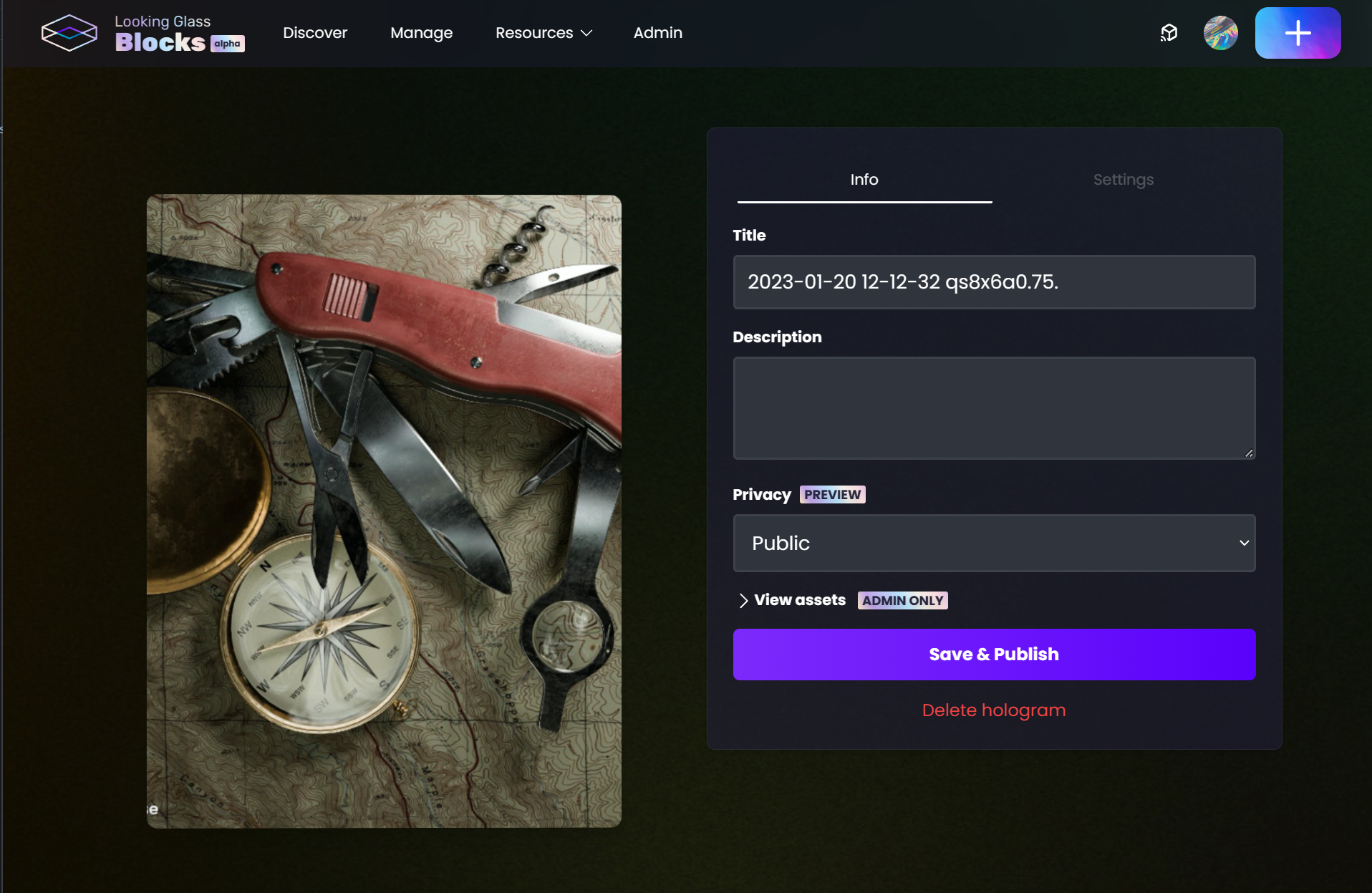
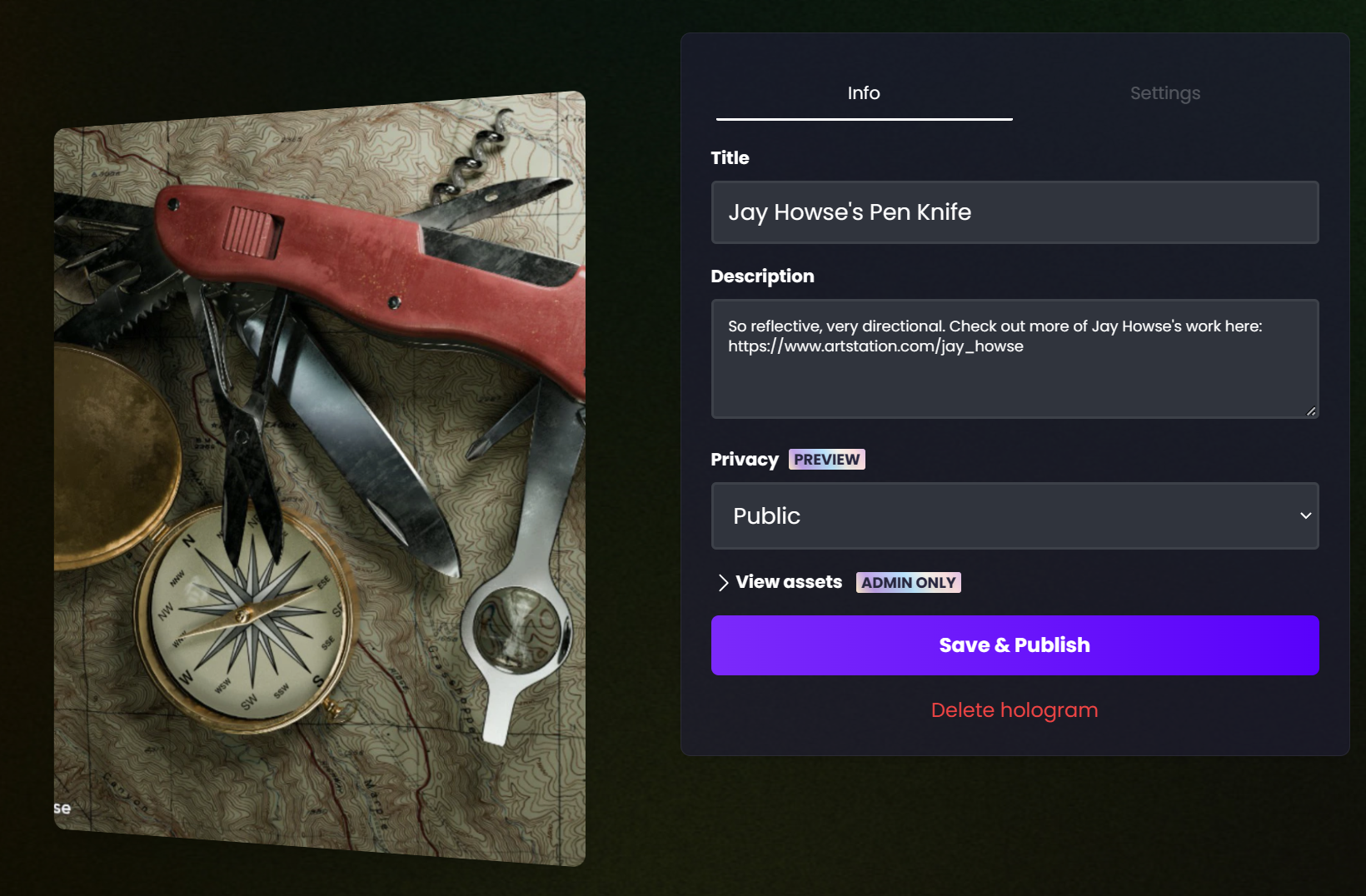
Now that your hologram has been uploaded you can edit the title, description, and tweak a few other settings.
Make sure to give your block a great title and description. You can link to your portfolio or other sites in the description field as well.
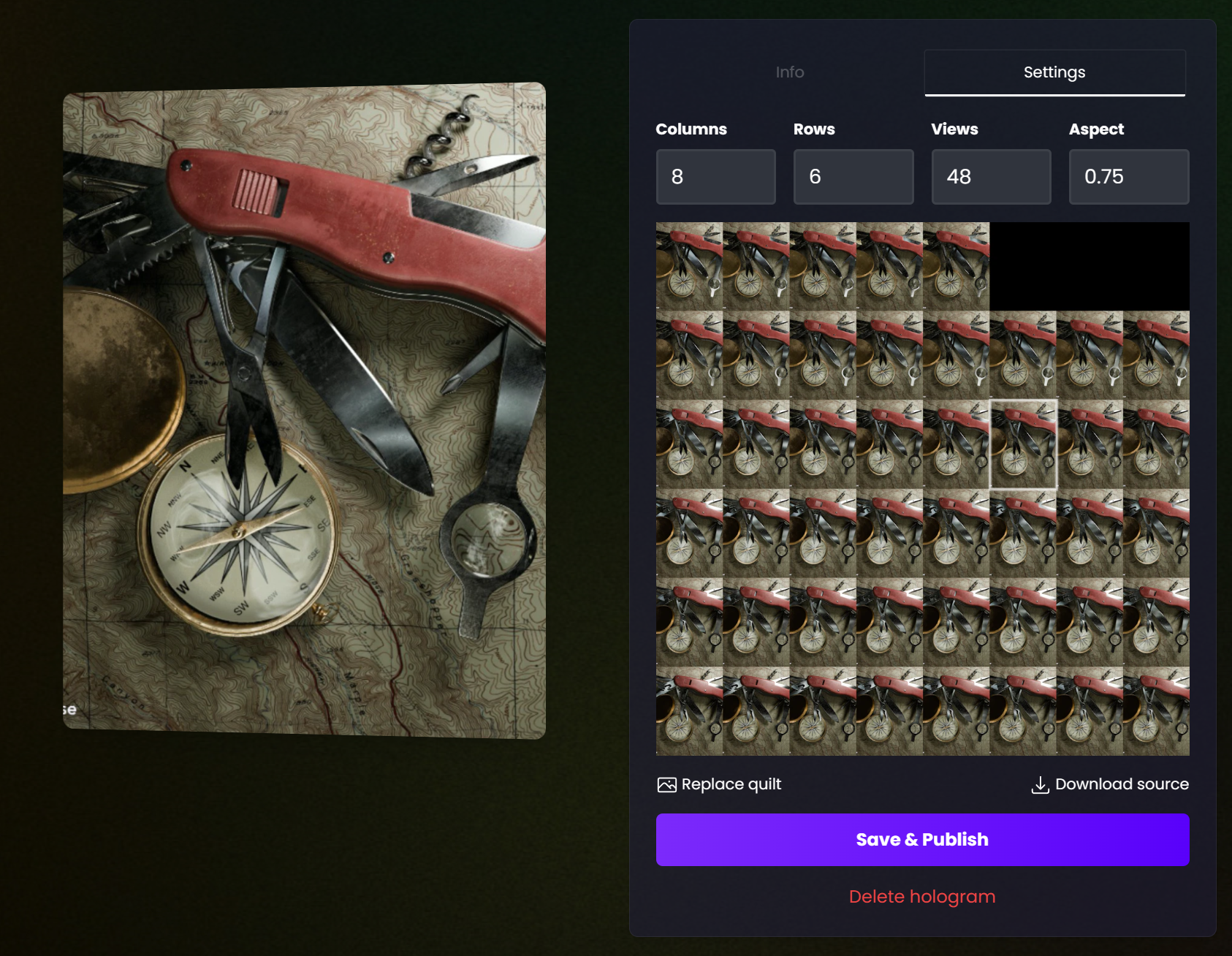
If your quilt has the file name "qs#x#a#" format in the file name, Blocks will automatically parse the correct number of columns and rows. If Blocks was unable to parse this no worries, you can manually edit these values by going to the *Settings* tab.
The Settings tab gives you the option to adjust the columns, rows, views, and aspect ratio of the quilt.
**Aspect ratios:**
* **Looking Glass Portrait is 3/4 or 0.75**
* **Looking Glass 16", Looking Glass 32" and Looking Glass 65" is 16/9 or 1.77**
{% hint style="info" %}
You'll notice in this particular example we're missing 3 views from the top right corner, to compensate for this we can adjust the **Views** parameter from 48, to 45. This will prevent Blocks from sampling those regions of the quilt.
{% endhint %}
## Sharing your holograms
Once you've got your hologram uploaded you can share it directly to social media platforms like Twitter, Facebook or Linkedin, or copy and paste the link to send to your friends! Be sure to tag Looking Glass whenever you do share this so that we can help you amplify your content!