> For the complete documentation index, see [llms.txt](https://lfdocs.lookingglassfactory.com/llms.txt). Markdown versions of documentation pages are available by appending `.md` to page URLs; this page is available as [Markdown](https://lfdocs.lookingglassfactory.com/getting-started/looking-glass-go/accessories.md).
# Accessories
## Looking Glass Go Battery Pack
{% hint style="warning" %}
Because of shipping laws, we can't ship or sell battery packs separately. You can only add them as an accessory bundled with your Go at the time of purchase.\
\
If you need a battery pack after purchase, we recommend [this product from Anker.](https://www.anker.com/products/a1653-usb-c-portable-charger-5000mah?variant=42733234258070)
{% endhint %}
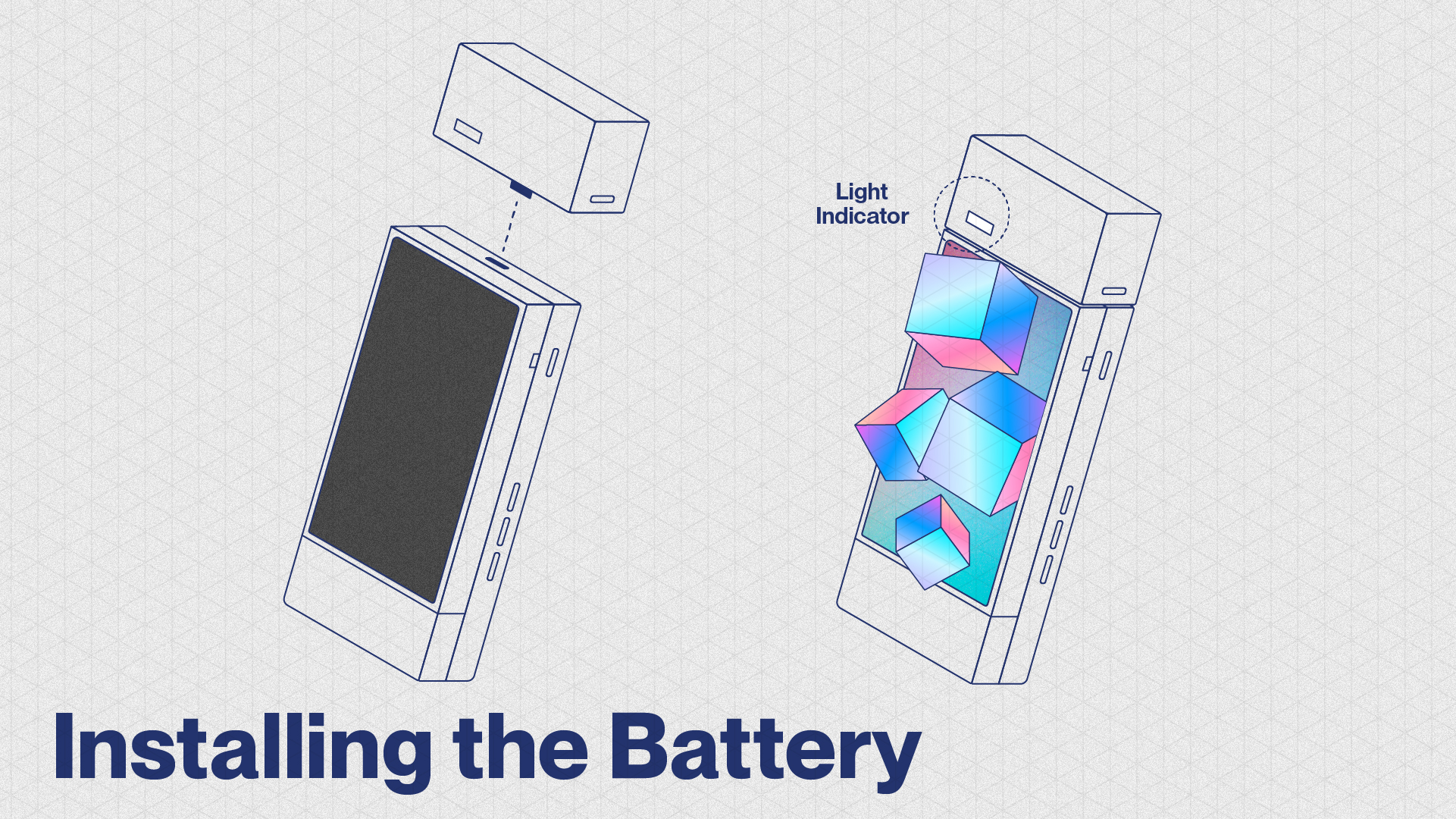
An optional battery pack designed to fit perfectly with your Looking Glass Go and allows it to run untethered on Standalone Mode for up to two hours.
* **Only ships with Looking Glass Go, not sold separately**
* Portable USB-C output. (Also compatible with other USB-C powered devices)
* Lithium-ion 18650 3500mAh, 12.95Wh
* 80mm x 30mm x 21mm
* Time to charge to 100%: 1 hour
* CE, UKCA, FCC, UL, PSE certification
* Does not come with charging cable - charges with USB-C cable
* Does not allow for passthrough charging of devices other than Looking Glass Go\
\
\&#xNAN;*Battery Button functions:*
* **Single short press**: turn on battery pack (useful when battery bank is asleep after Go is in standby for 30s)
* **Double short press**: turn off battery pack
* **Long press (5 seconds)**: constant battery output mode (disables battery pack auto-sleep feature and device insert detection, the battery pack indicators will blink in a cycle animation)
## [Looking Glass Go Frame](https://checkout.lookingglassfactory.com/products/go-frame?pr_prod_strat=pinned\&pr_rec_id=3105afe6f\&pr_rec_pid=7477650096217\&pr_ref_pid=7477648064601\&pr_seq=uniform)
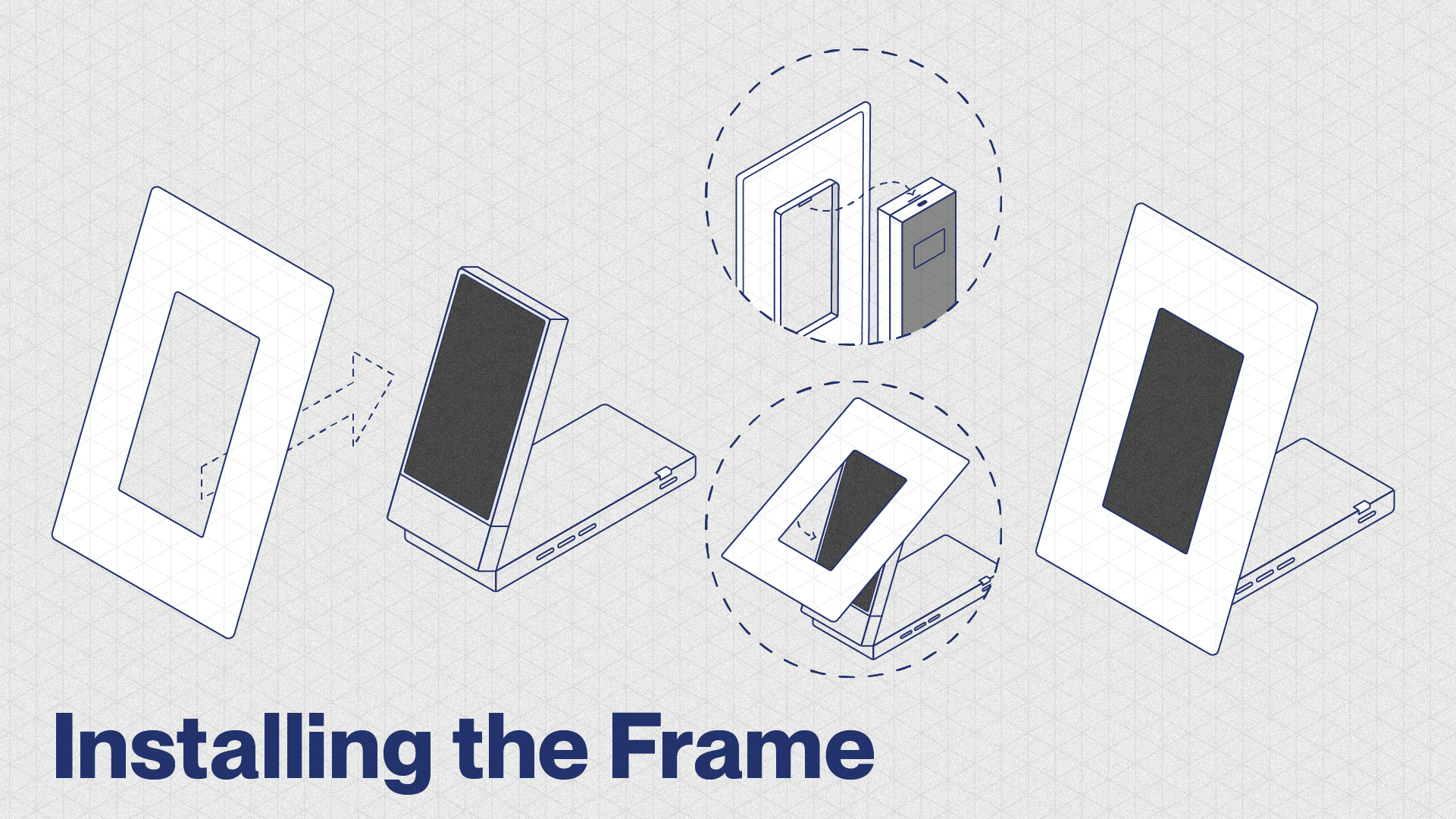
Turn your Looking Glass Go into a holographic photo frame with this snap-on photo frame.\
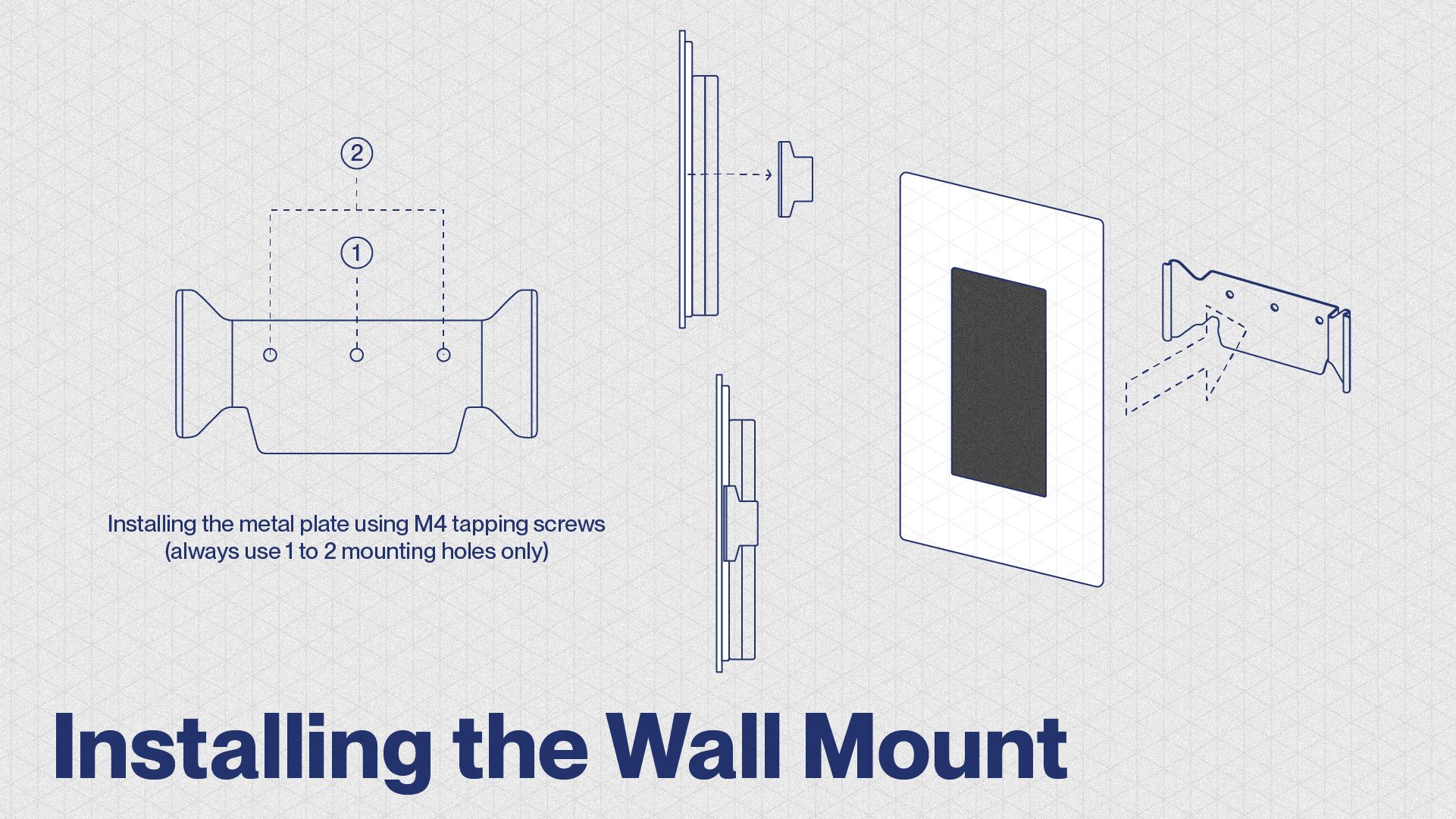
No assembly required. This can be used as as frame for your shelf/desk or can be wall-mounted.
## Looking Glass Go HDMI to USB C Adapter Cable
{% hint style="warning" %}
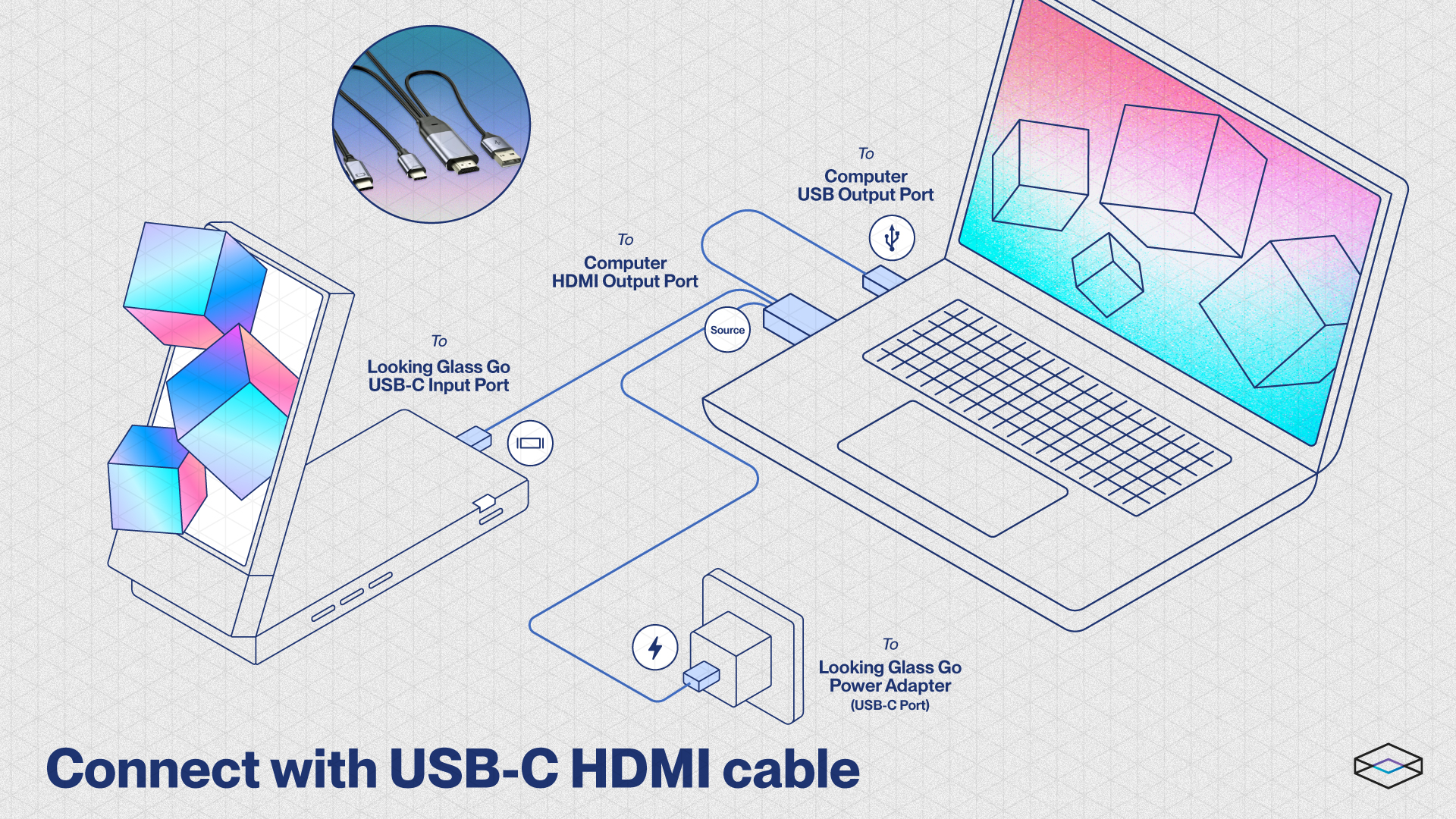
We no longer sell our own adapter cable. If you need an alternate solution, we recommend the WJESOG adapter cable available on Amazon [here](https://www.amazon.com/dp/B0BNX61QNV).
{% endhint %}
Looking Glass Go is designed to connect to your computer in Desktop Mode through a single USB-C cable using DisplayPort Alt Mode (DP Alt Mode). This is an optional accessory that enables Desktop Mode if your computer does not natively support it.
Check [this article](https://docs.lookingglassfactory.com/faq-and-troubleshooting) for compatibility requirements.
To see the difference between Standalone and Desktop Modes, see our docs for those modes [here](/getting-started/looking-glass-go/standalone-and-desktop-modes.md).